 StockDrop
Turn sold-out pages into recovered sales
Shoppers leave their email on a sold-out product. The moment it is back, we tell them by email, text, WhatsApp or push. You get the order.
Free plan · 7-day trial on paid plans · Cancel anytime
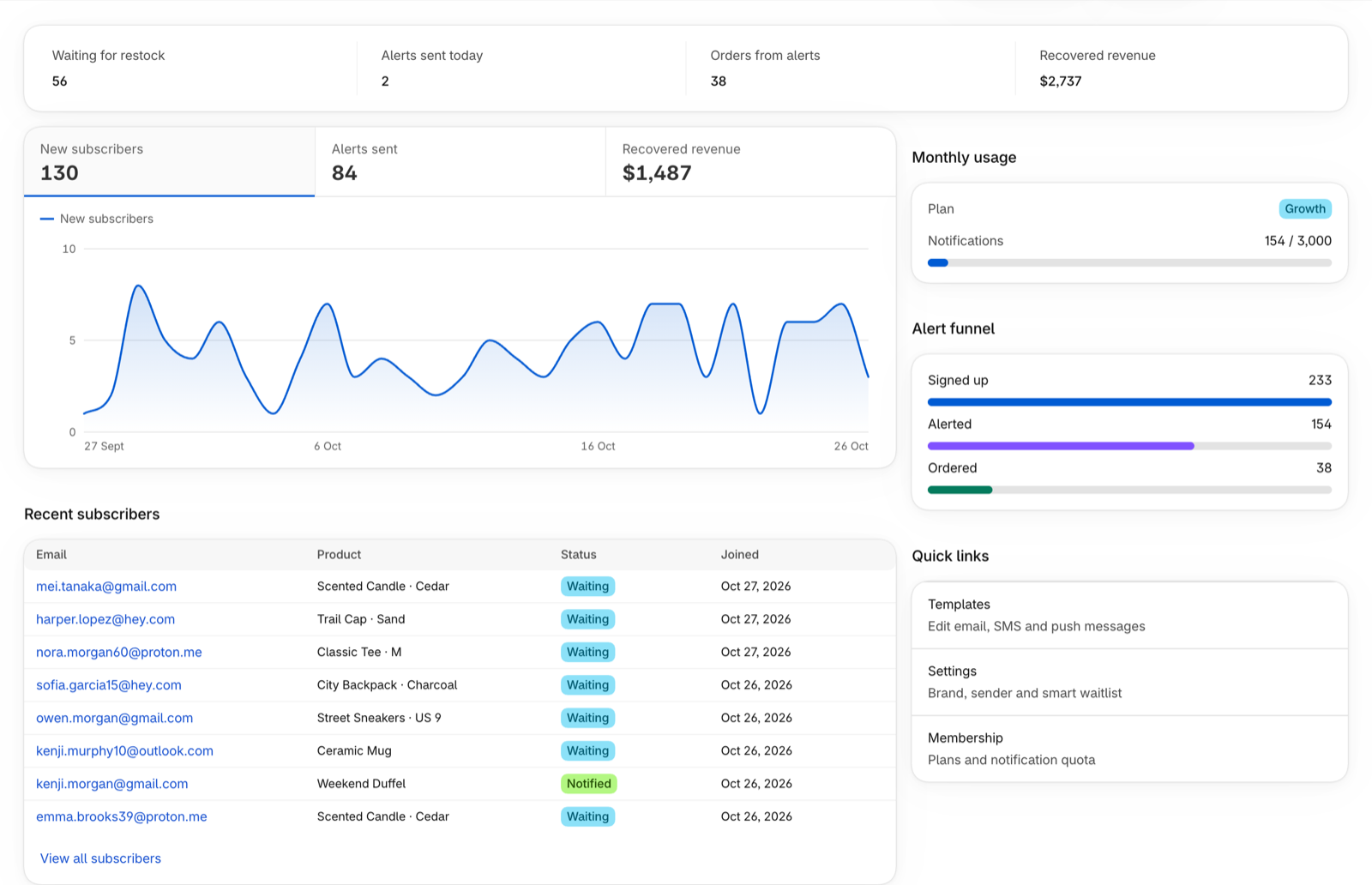
- 4 channelsEmail, SMS, WhatsApp, push
- ~10 minutesFrom install to live
- Free plan100 alerts every month
- GDPR readyExport and erase built in
How it works
From sold out to sold, on autopilot
Shopper signs up
A Notify me button appears on sold-out variants. They leave an email, or opt in to SMS, WhatsApp or push.
We watch your stock
When inventory goes from zero to available, we detect it automatically. No manual lists.
They come back and buy
Alerts go out on the right channel. Orders that follow show up as recovered revenue.
What you get
Know what shoppers want, and prove what it earned
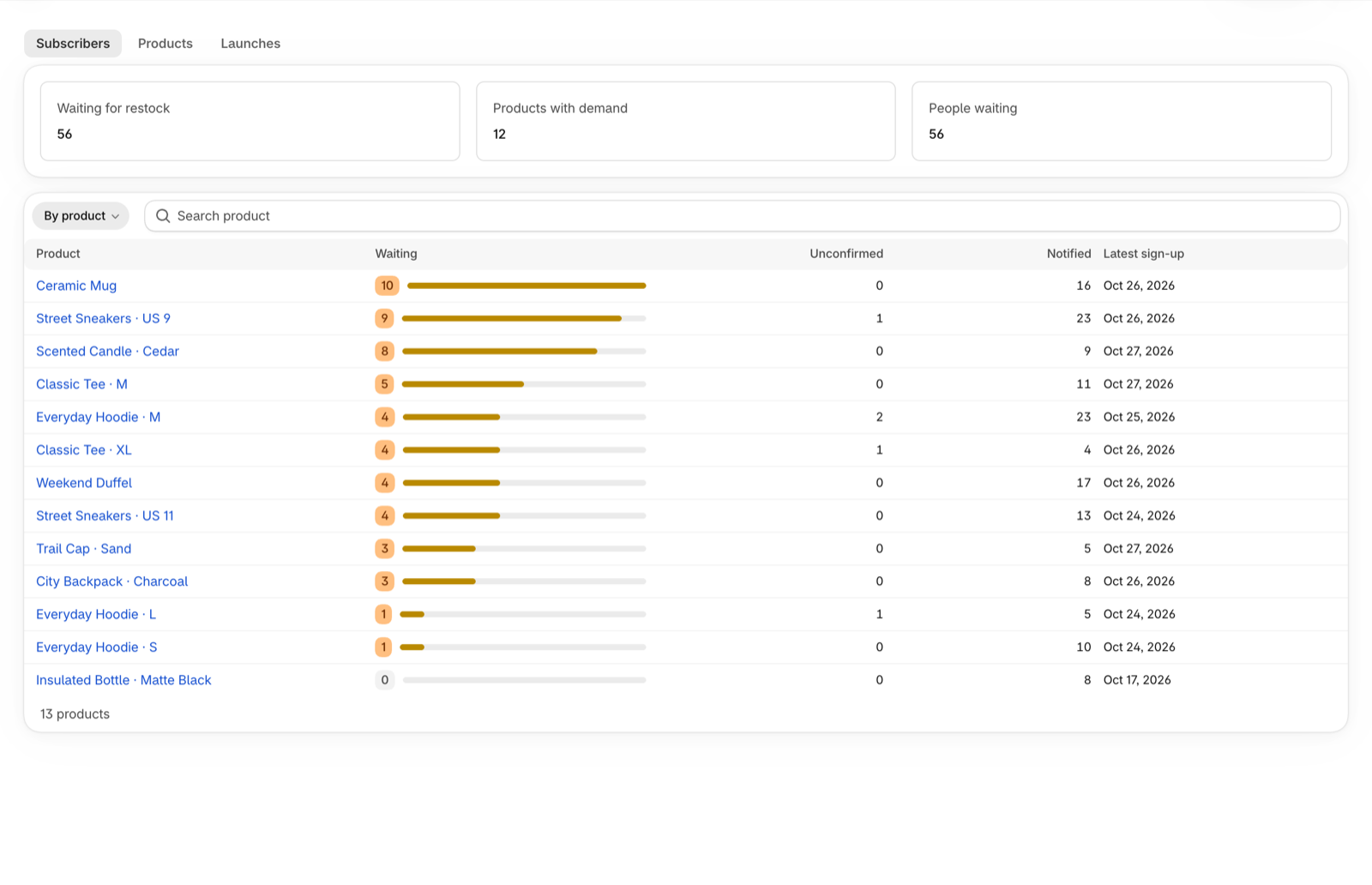
See what shoppers want back
Every sign-up is grouped by product, so you know what to restock first.
- Demand by product and by person
- Waiting, unconfirmed and notified at a glance
- Export to CSV any time
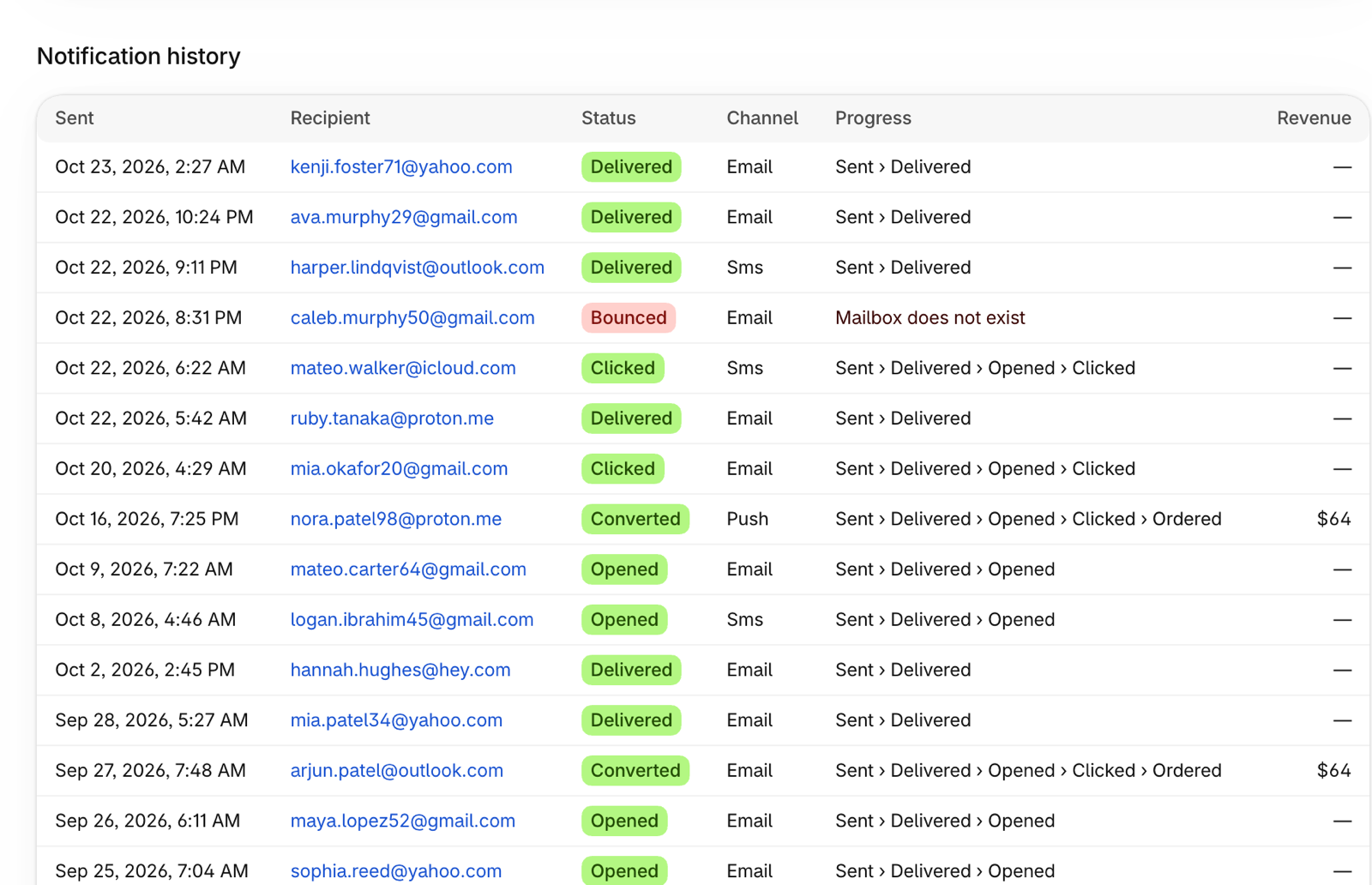
Every alert, tracked
Open a product to see who is waiting and how each alert was delivered, opened and clicked.
- Full notification history on every product and person
- Delivered, opened, clicked, ordered and bounced
- Revenue shown next to the alert that earned it
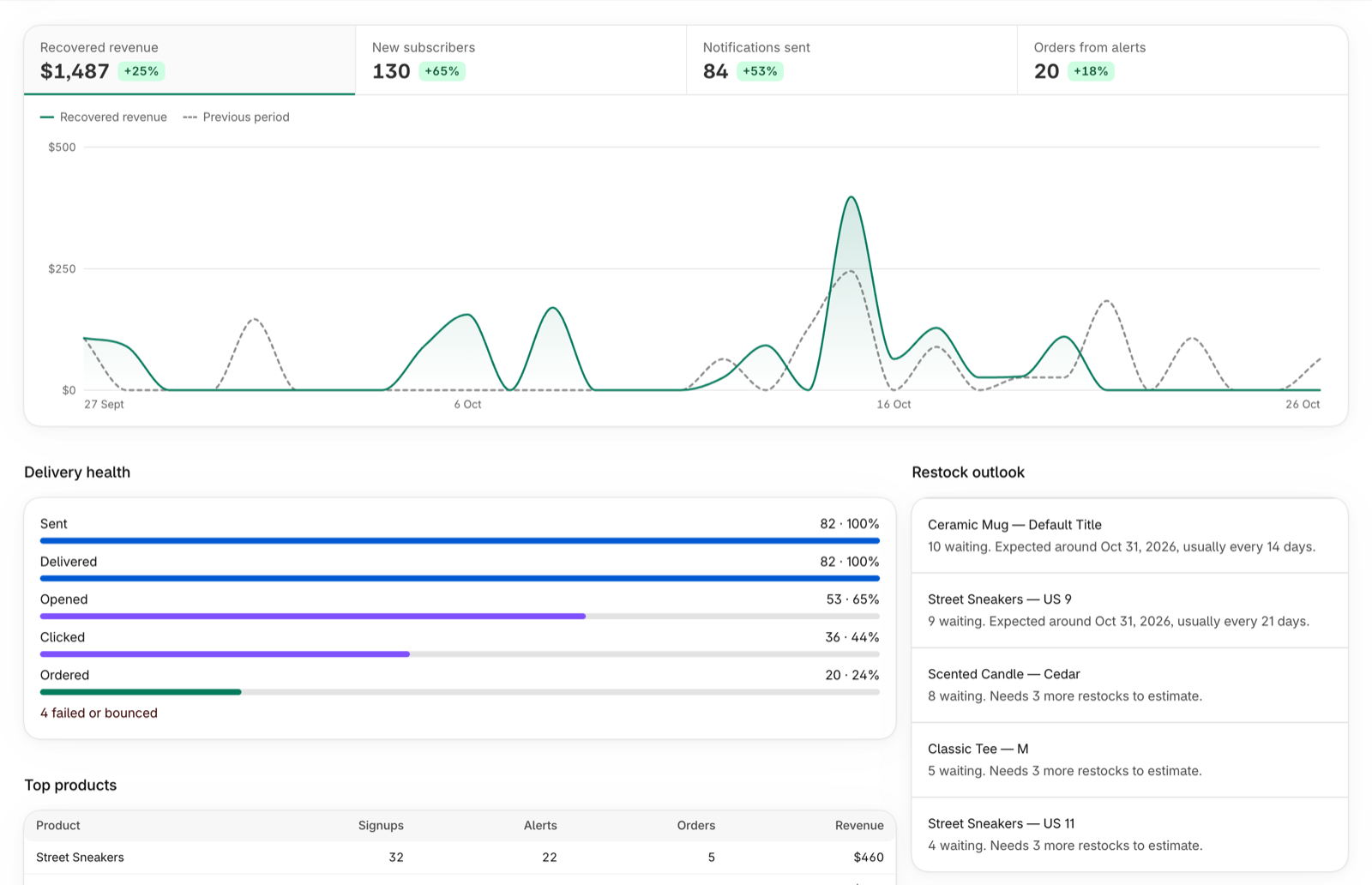
Measure the sales you win back
Recovered revenue, delivery health and a restock outlook for the items people are waiting on.
- Orders attributed to the alert that brought them back
- Compare any period with the one before
- Restock outlook for waitlisted items
Four channels
Email, SMS, WhatsApp and web push from one waitlist.
Double opt-in
Confirmation emails keep your list clean and your sender reputation safe.
Smart waitlist
Restock prediction and low-stock signals so you know what to reorder.
Brandable messages
Edit templates per channel and language, with live preview and discount blocks.
Built for privacy
One-click unsubscribe, GDPR export and erase, signed links everywhere.
No code setup
Add one app block in the theme editor. Live in about ten minutes.
Pricing
Simple pricing
Start free. Upgrade when your waitlist grows.
Free
Free
- 100 notifications / month
- Email back-in-stock alerts
- Storefront capture widget
- Low-stock urgency badge
Starter
$4.99/month
Everything in Free, plus:
- 500 notifications / month
- Web push notifications
- Email branding controls
Growth
$14.99/month
Everything in Starter, plus:
- 3,000 notifications / month
- SMS and WhatsApp alerts (your own accounts)
- Analytics and revenue attribution
- Then $0.01 per extra notification
Pro
$24.99/month
Everything in Growth, plus:
- 10,000 notifications / month
- Priority support
- Then $0.01 per extra notification
7-day free trial on paid plans. Billed through Shopify. Cancel anytime.
FAQ
Questions
How does StockDrop know when an item is back?
Shopify tells us whenever inventory changes. When a sold-out variant goes above zero, we send alerts to everyone waiting on it, after a short delay so flickering stock does not spam shoppers.
Will it work with my theme?
Yes. It is a theme app block, so it works with Online Store 2.0 themes. You add it to your product template in the theme editor.
Do shoppers have to confirm their email?
By default, yes. Double opt-in is on, and you can turn it off in Settings.
What does it cost?
Free for 100 notifications a month. Paid plans start at $4.99 and add more alerts, web push and email branding, then SMS and WhatsApp (your own accounts) and revenue analytics on Growth, with a 7-day free trial.
What happens to shopper data if I uninstall?
Shopify asks us to erase it and we do so automatically. Shoppers can also unsubscribe or request erasure at any time.
Stop losing sales to sold out
Add the Notify me button in minutes and let shoppers come back on their own.
Read the setup guide